Introduction — Simple, fast, and useful
If you work at a computer, your daily posture matters. A riser desk gives you an easy way to stand more, move more, and reduce the downsides of long sitting. This article explains exactly what a riser desk is, how it works, who should buy one, and how to set it up the right way. You’ll get practical buying tips, ergonomic setup steps, a comparison with full-standing desks, and a short FAQ to answer the most common questions.
This guide is written first for people who want clear, simple answers — and second for search engines that value structured, authoritative information.
What is a riser desk?
A riser desk is an accessory you place on top of a normal desk to raise your monitor, keyboard, and laptop to standing level. It’s sometimes called a standing desk converter, desk topper, or desktop riser. The riser sits on the existing tabletop and usually has one or two tiers: a higher shelf for monitors and a lower tray for keyboard and mouse.
Riser desks let you convert any desk into a sit–stand workspace in minutes — no heavy assembly or new furniture required.
How a riser desk works
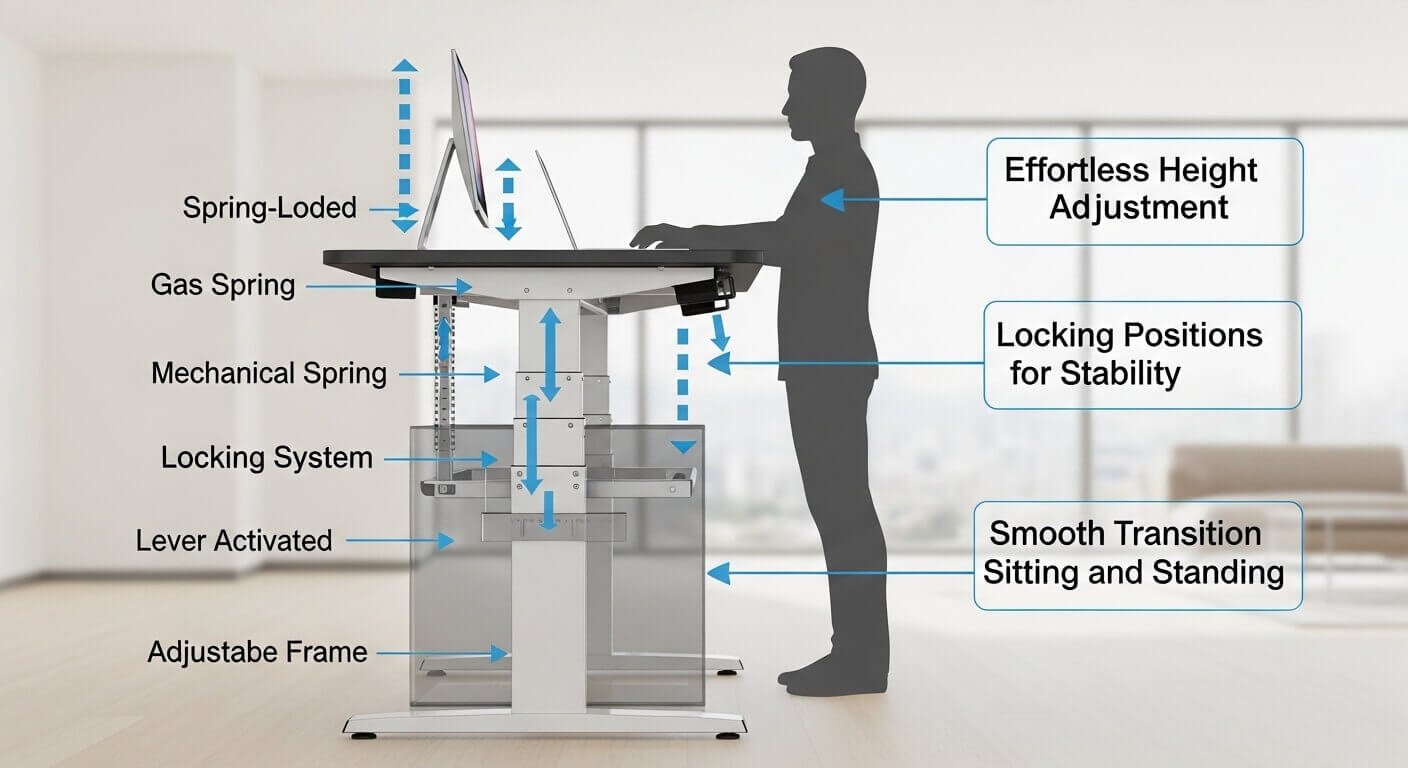
Risers move up and down using one of a few common systems:
- Gas spring/pneumatic lift: Push a lever or press a button, and a gas piston helps raise or lower the platform smoothly.
- Manual spring/lever: A mechanical lever does the job; usually cheaper but requires a bit more force.
- Crank: You turn a handle to raise or lower the platform (slower but precise).
- Electric motor: Press a button for smooth, powered adjustment (best for frequent use).
Most risers travel fast and lock at several positions. Key specs: weight capacity (how much load it can hold), travel height (how tall it lifts), and surface size (how much desk it covers).
Types of riser desks (choose what fits you)
- Single‑tier riser: one flat surface for laptops or a single monitor. Lightweight and portable.
- Dual‑tier riser: top shelf for a monitor and a lower keyboard tray — more ergonomic for many users.
- Full‑width riser: wide enough for dual monitors or full desktop setups.
- Compact riser: small footprint for tiny desks or minimal setups.
- Motorized riser: electric lifts for smooth adjustment and memory presets.
Desk Riser Benefits — what you actually get
- Affordability: cheaper than replacing your entire desk.
- Portability: take it with you when you move or change workspaces.
- Quick upgrade: set up in minutes without tools.
- Space-efficient: good for small apartments or shared desks.
- Flexibility: switch between sitting and standing easily, which helps reduce static sitting time.
Remember: the benefit isn’t just standing — it’s moving more and varying posture during the day.
Limits & realistic expectations
- Some risers wobble if overloaded or extended fully. Choose models with sturdy frames.
- Riser desks don’t fix everything — standing for hours without moving can cause fatigue and circulatory strain.
- Keyboard trays may be too high or too low for some users; external ergonomic keyboards or adjustable trays help.
- Quality, warranty, and long-term durability vary widely by brand.
Who should buy a riser desk?
- Remote workers & freelancers who need a low-cost sit–stand option.
- Students who want an adjustable workspace in dorms.
- Small offices & hot-desking environments where portability and quick setup matter.
- Anyone renting or moving often — risers don’t attach to desks, so they’re landlord-friendly.
If you need rock-solid stability, heavy cable routing, or a full furniture refresh, consider a full standing desk instead.
How to choose the right riser desk
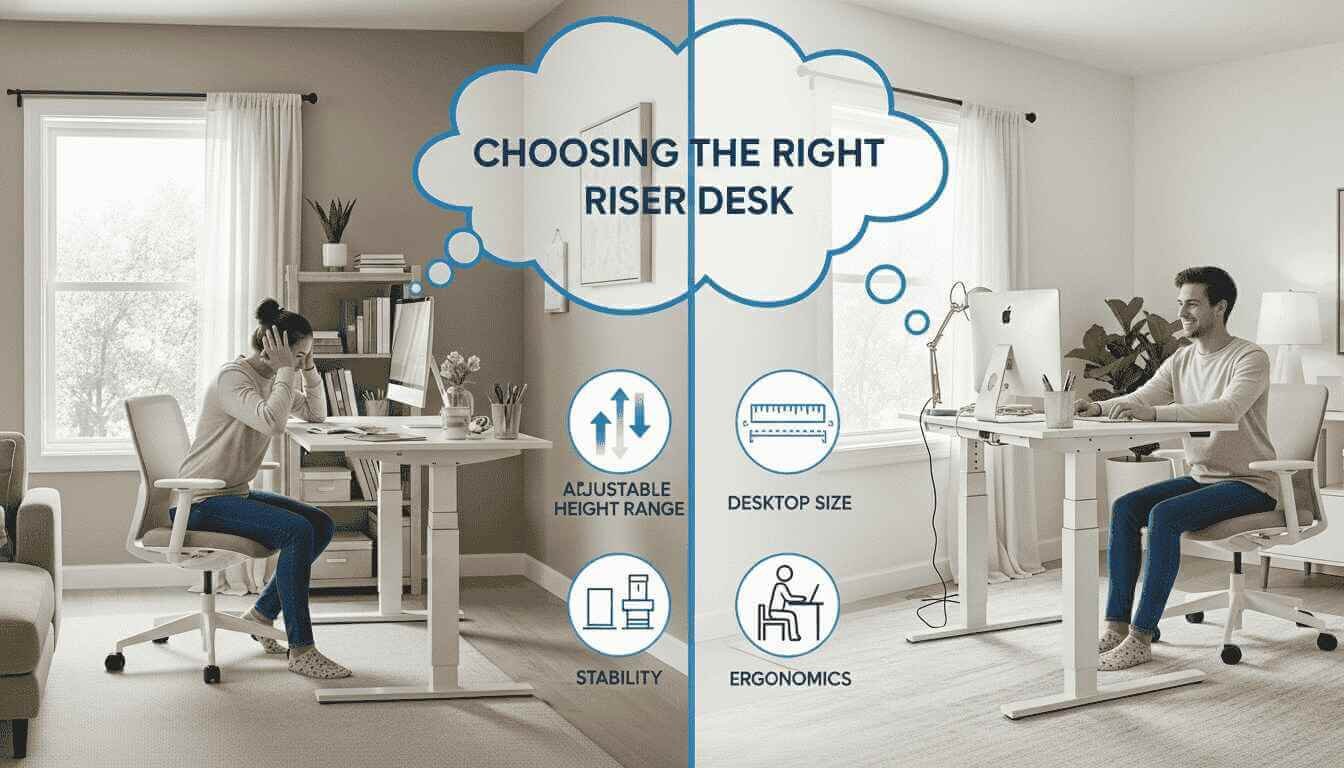
- Height range: Will it get your monitor to eye level when standing?
- Weight capacity: Can it carry your monitor(s), laptop, and accessories?
- Surface depth: Enough space for keyboard + mouse?
- Stability: Look for steel frames and wide bases.
- Adjustment type: Gas, crank, or electric? Choose based on frequency of use.
- Warranty & returns: At least 1 year is a good start.
Tip: measure your desk and monitor before buying. Match specs to your setup.
Ergonomic setup — step-by-step (do this once)
- Set monitor height: Top of the screen at or slightly below eye level when standing. Aim for a 20–40 inch viewing distance from your eyes, depending on screen size.
- Keyboard position: Elbows should be roughly at 90°. Wrists should be neutral, not bent up or down.
- Mouse placement: Close to the keyboard; don’t reach.
- Alternate posture: Start with 20–30 minutes sitting, 20–30 minutes standing. Add a short walk every hour.
- Use an anti‑fatigue mat: If you plan to stand for longer blocks, it reduces lower-limb strain.
Make adjustments over the first week to find what feels best.
Riser desk vs full standing desk
Riser desk
- Pros: cheaper, portable, quick setup.
- Cons: variable stability, smaller built-in cable options.
Full standing desk
- Pros: stable, built-in height control, better cable and workspace integration.
- Cons: more expensive, heavier, not portable.
Pick a riser if budget and portability matter most. Pick a full desk for a permanent, heavy-duty solution.
Top features to compare (detailed)
- Travel height (inches): Ensure compatibility with your monitor and desk height.
- Weight capacity (lbs/kg): Include monitors, laptop, speakers — add a 20% buffer.
- Tilt & keyboard angle: Some risers allow keyboard tilt for wrist comfort.
- Surface materials: Laminated wood, MDF, steel frame — choose a durable finish.
- Controls: One-touch gas lift vs. crank vs. electric buttons.
- Cable management: Built-in slots, clips, or pass-throughs.
Maintenance
- Wobble: Tighten screws, ensure the desk is level, or upgrade to a model with a wider footprint.
- Stiff lift: Lubricate pivot points (check manual) or verify weight load.
- Electrical noise: Consult the warranty for motorized units.
- Cleaning: Wipe with a soft, damp cloth; avoid harsh chemicals.
Buying guide — price tiers
- Budget ($50–$150): Basic manual risers; good for light use.
- Mid-range ($150–$350): Dual-tier, gas-spring models; best balance of price and performance.
- Premium ($350+): Motorized, high-capacity units with solid warranties and wide surfaces.
Consider how often you’ll switch positions and how much equipment you’ll place on the riser.
Conclusion
A riser desk is a fast, affordable way to add sit–stand capability to your workspace. It’s not a miracle cure, but when chosen and set up correctly, it can reduce discomfort, increase movement, and fit tight budgets or rental spaces. Measure your desk, check height and weight specs, and plan how often you’ll alternate positions. Small changes, done consistently, make the biggest difference.
Frequently Asked Questions
Q: How high should a riser desk lift?
A: The top of your monitor should be at or slightly below eye level when standing. Most risers that add 12–20 inches of lift work for average monitor and desk heights. Measure your current setup to verify.
Q: Can a riser desk support two monitors?
A: Yes—if you pick a full-width riser with adequate weight capacity and depth. Check the manufacturer’s rated load (add a safety margin).
Q: Will riser desks wobble?
A: Some cheaper or overloaded models wobble. Look for steel frames, wide bases, and user reviews mentioning stability.
Q: Should I use an anti‑fatigue mat?
A: If you plan to stand for 20–60 minutes at a time, an anti-fatigue mat reduces lower-limb discomfort and is recommended.
Q: Are riser desks better than standing desks?
A: They suit different needs. Riser desks are portable and cheaper. Full standing desks are better for permanent setups with robust cable management and stability.